Showing posts with label double din units. Show all posts

Thursday, June 2, 2016

Stop in Boot Logo--RESOLVED

Question from Joying Customer:

My radio stopped working it froze and it wont do absolutely anything


E-mail 1:

Hello xx

This is Amy from Joying, we received your message for the product's issue. It mentioned "the radio stopped working it froze and wont do anything"

Could you send me some pictures or more detailed info about this issue?
Because we are not clear about the meaning of "stopped working and froze"
Does it mean froze in start logo or other?

Please don't worry, we will help you until the issue solved.
Hope to hear from you soon.
Best Regards,
Amy


E-mail 2:

Hello Amy yes the problem is that when I turn on the radio it just stay's there in the start up logo and wont go any further or do anything else.......


E-mail 3:

Hello xx

Glad to receive your reply.
It should have a problem in system, here are steps to solve it:
1. You need to get the update screen.
2. Choose recovery from backup
3. If this still can't solve it, please wipe all data/factory and cache reset, then re-download the system files, and update the system.

More detailed info:
1. You need to long press the power button after you put the key (if the head unit has been turn on, please turn off it first)
2. When you can see the button lights flash/change color, please loose your hand, then press power button again, you can get the screen for upgrade soon.  (You can watch this video: https://youtu.be/vHyVC2Nb5oc)


3. You can get update screen now, please choose "recovery from backup"
4. If this issue can't be solved through recovery, please wipe all data/ factory and cache reset, then re-download the system files and update it,
Please refer to this page https://www.carjoying.com/Joying-blog/12.html
Please download the version of Aug 22, 2015 or Sep 3, 2015 
5. You need to download joying android MCU and update files, then just copy Two file into SD card without any folder, insert it in GPS(map) Slot.
6. Choose update system/mcu image from sdcard and clear all.

If it's failed at the first time, please try more times again, and let me know the results.
Thanks&Regards,
Amy


E-mail 4:

Ok thanks let me try it

E-mail 5:

Great it worked thanks for everything

E-mail 6:

Hi xx

Thank you also for your support us, if the unit has anything wrong, please contact us again. Very pleased to serve you.

Best Regards,
Amy


Reference 1:


Reference 2:


More Focus on Joying:


Tuesday, May 31, 2016

Sharing: 1.5 Din to Double Din Head Unit Conversion

1. 1998-2003 Chevrolet S-10 Car Stereo Removal: 


2. A Joying customer share a post to us, below is the copy, if you want to read the original article, please click here .


How-To: 2nd Gen 1.5 Din to Double Din Head Unit Conversion

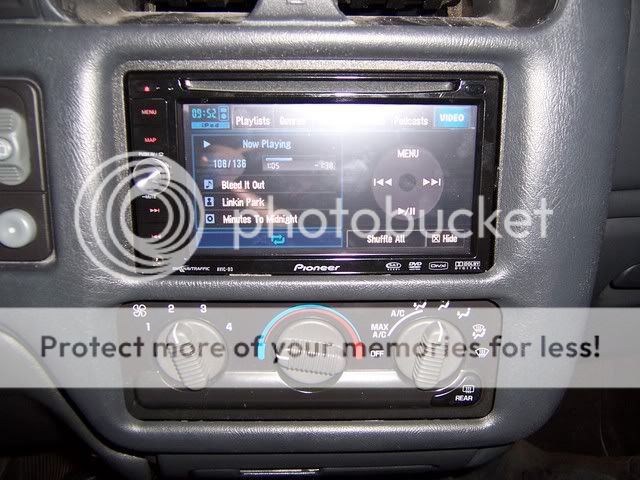
This applies to 98-02 S-Series with the factory 1.5 Din head unit. I'd seen a few pics of this done but never really a thorough step-by-step description of the process, so I thought I'd throw this together for anyone interested. This actually isn't that difficult at all, there's minimal cutting involved, you just gotta have a little patience.


Materials Needed
- '03 and up Dash Bezel
- Metra '99-'03 GM Multi-kit (Any GM double din mounting kit should work though) Side Note: I'm told Schosche makes an S-Series double din kit that should bolt right up, maybe someone can confirm this?
- 5 minute epoxy glue
- A dremel, or your cutting tool of choice

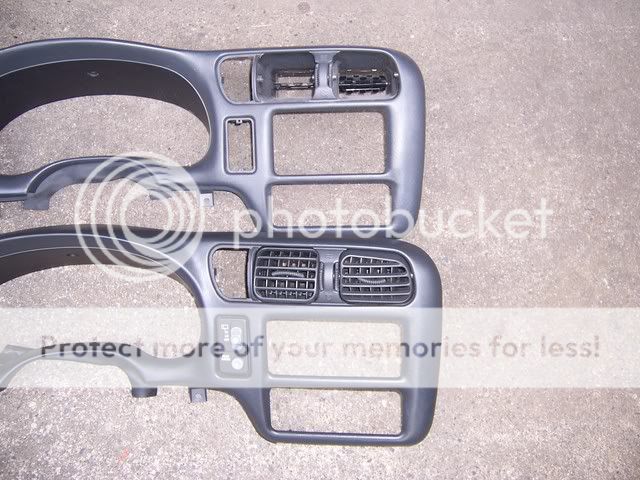
First of all, a comparison shot of the two different bezels, the top one is the guy you're looking for. Snap one up if you see it cause they can be tough to find!

               
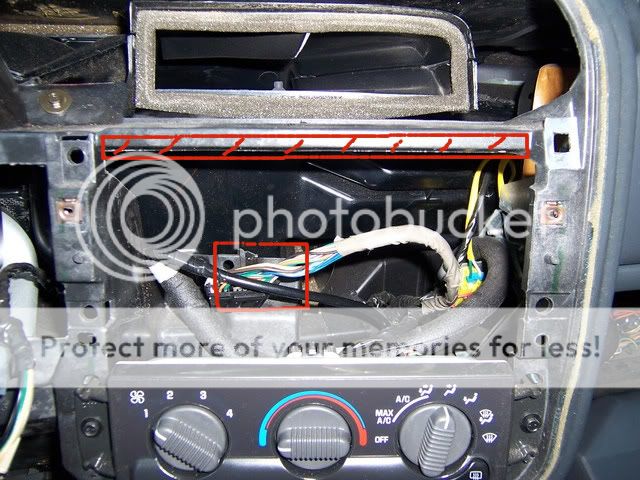
Now, once you've got everything out, you're going to need to do a little trimming. On top, you'll need to take about a quarter inch out of the plastic support piece, and then while I didn't get a great shot of it, you'll need to trim off the piece that supports the factory head unit. This will give you enough clearance to fit your double din unit.


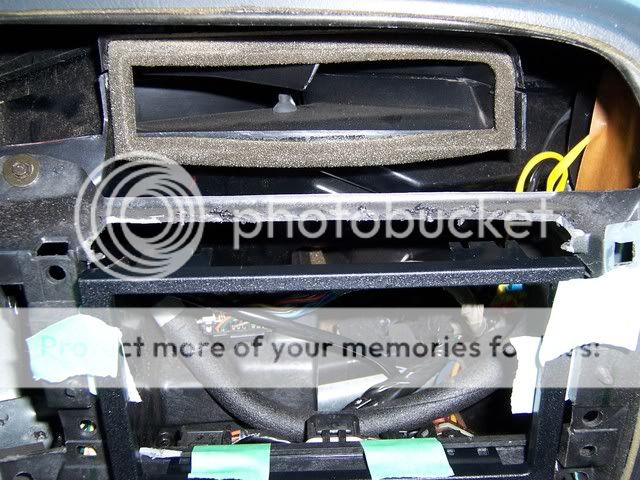
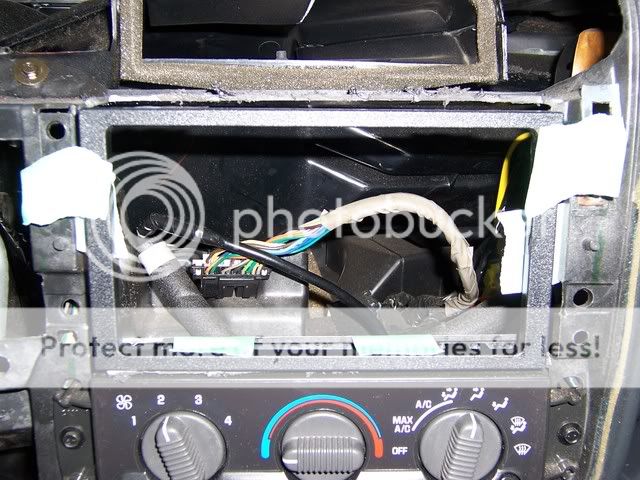
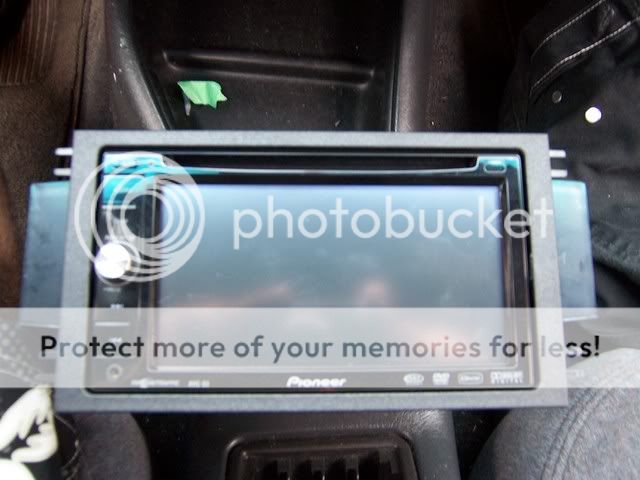
As it turns out, I took off waaay more than I needed to up top, but you get the idea. Now you're gonna have to fab up your own mounting brackets, so grab some masking tape, then take some time popping the new bezel on and off to figure out exactly where you want everything to sit. It'll make it easier to get some measurements that way too.


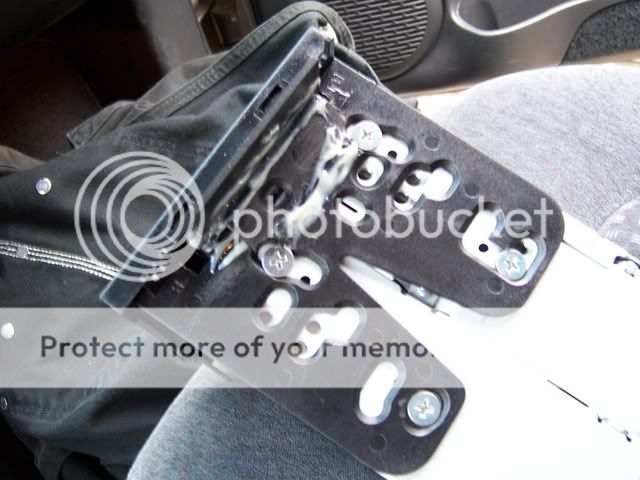
Now, you're gonna need to modify you're mounting kit a bit, you'll see what needs to be trimmed off when you test fit it. Then you'll need to fab up some ears where the kit will mount to the dash. I just cut up some extra pieces that came with the kit, but I'd reccommend using something a little bigger, as the pieces I used left you VERY little room to work with as you can see. This is also where your epoxy glue (or any high strength adhesive) comes in to play. This part will be holding a fair bit of weight, so don't be afraid to go nuts with it.


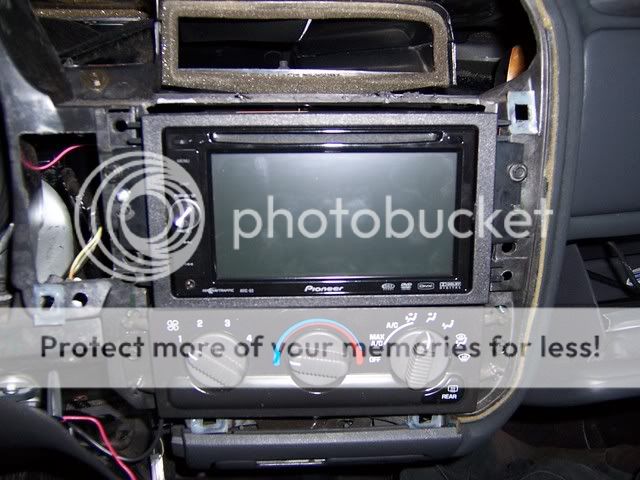
And there she is! I wasn't totally loving how little the left side screw was holding, so I popped in a self tapping screw just for extra support. I'll probably go back and re-do that part later.


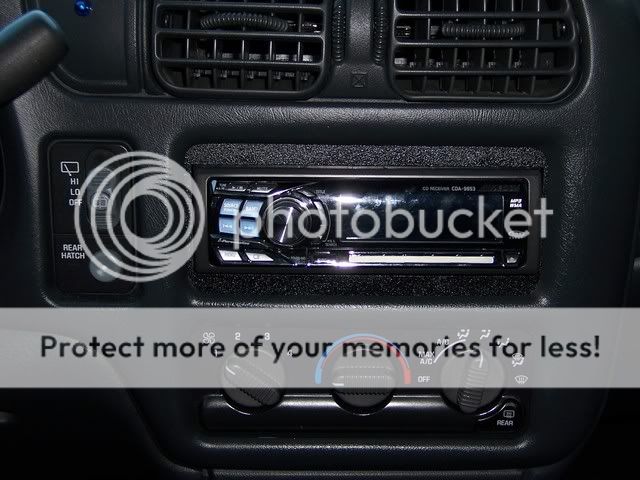
Before:


And After! It looks a little crooked because I didn't have the bezel totally buttoned up yet, but you get the idea.


Thursday, May 26, 2016

Replace a KW-NT500HDT in a Motorhome

Recently, we have a customer purchased a universal double din head unit from us. (JOYING)
The universal head unit comes with ISO harness, we should need some installation accessories.
I'm worried this buyer can't find the proper accessories, so I e-mailed him.
Then I got the reply soon. Below is the copy of that e-mail.


Hello Amy,
The unit is to replace a KW-NT500HDT in a motorhome.

I need to find a sleeve compatible with this (if dropbox prompts for login, please cancel the prompt, you don't need to log into dropbox):
https://www.dropbox.com/s/2dzakkzvix9ywa0/JvcSleeve.jpg


Also note in the above photo, the plug that was used is different to the universal plug - I need to swap out one or the other, but I don't mind which.

I would like to use the existing GPS Arial that has been wired to the top of the motorhome. However it's connector is as follows:
https://www.dropbox.com/s/tjm2gvginv7twi9/GpsConnector.jpg


I don't know if there is an adapter plug for this.

JVC KW-NT500HDT instructions below for reference.
http://resources.jvc.com/Resources/00/01/52/LVT2277-002A.pdf

Thank you in advance for a prompt reply!
-


This is my reply:
Hello xx

Glad to receive your message.
I don't prompts for login and check the pictures directly.

1. There should have a original mounting bracket, you just need to remove it, and fix it on Joying main engine with screws.
Then install the main engine to here: https://www.dropbox.com/s/2dzakkzvix9ywa0/JvcSleeve.jpg

2. I can see the plug, but we don't have the proper harness for this. May I know the year and model of your car. We can help you find it online;
such as these site: 
http://www.connects2.co.uk/products
https://www.dynamicsounds.co.uk/

3. If you want to use the previous GPS Arial, you need a adapter. Could you find it?
Here is an Antenna adapter for VW, https://avinusa.com/factory-gps-antenna-adapter.html
Because I don't know the model of your car, I can't help you find the adapter for you, sorry.
This head unit comes with a GPS Arial, you can use it. You can use this GPS Arial if you can't find the adapter.

4. Here is blog about our ISO harness, https://www.carjoying.com/Joying-blog/33.html
You can read it if you need.

If you have questions, please e-mail me again.
Best Regards,
Amy

Tuesday, April 12, 2016

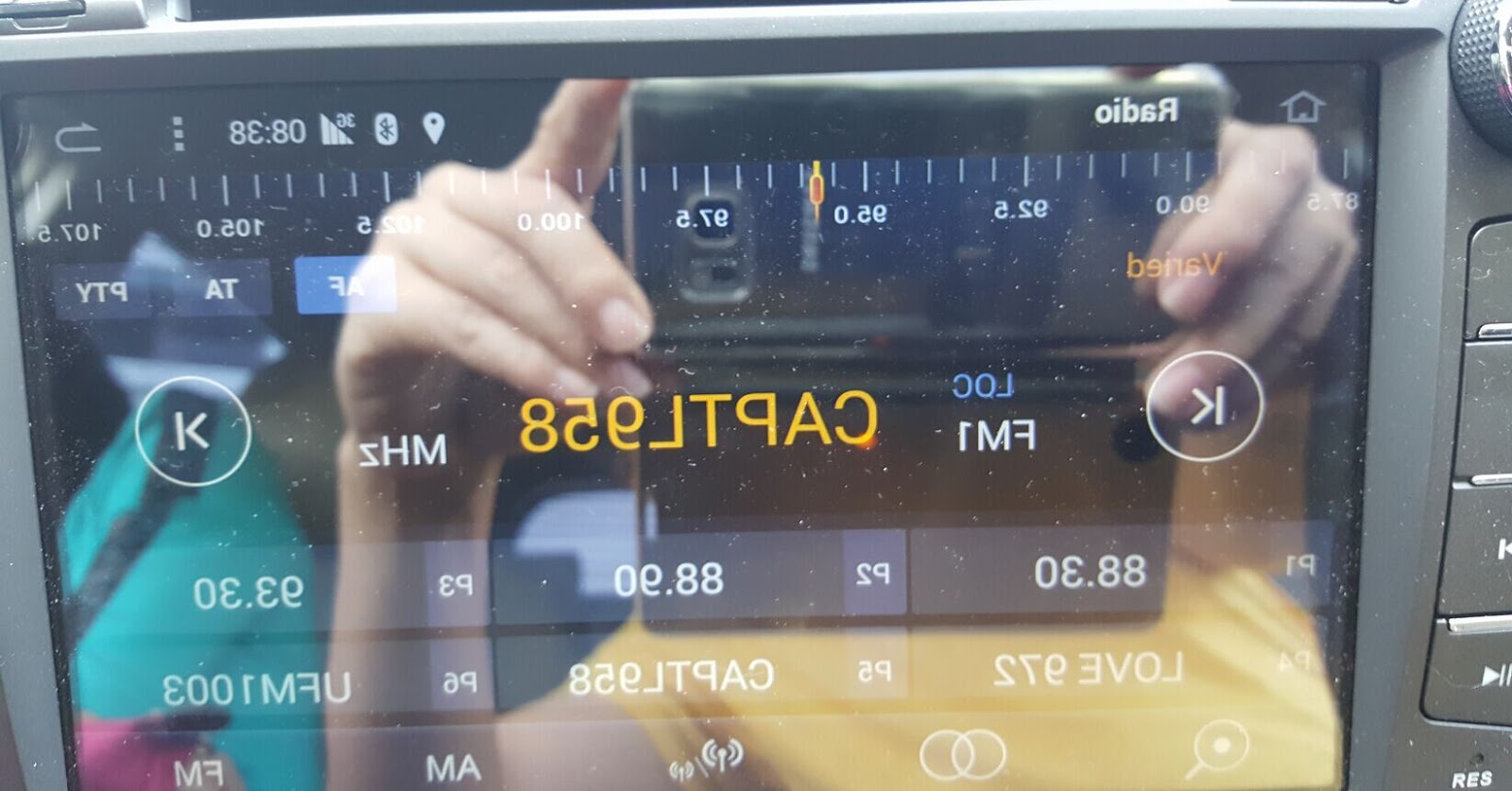
How to fix the opposite images in screen (Android touch screen car stereo)

When you receive your new Android car stereo, if the images appear opposite in screen. Please try to unplug the ribbon and then re-plug it. Below are some references, please check it:

Problems:


Check the ribbon and reconnect:


Solved


Instructional Video:


Tuesday, March 15, 2016

2016 Newest Head Unit: Android 5.1 Lollipop OS + 10.1" HD Touch Screen

Auto Parts Manufacturer 12 Years


Welcome to subscribe Joying YouTube

Buyer Guidance:
1. Panel Size: 260*160mm
Please confirm that you have suitable space to install it
2. ISO harness
This item comes with ISO harness, you can buy an ISO harness adapter from other seller, or order special harness on Joying Store
3. Other
a. If you car supports can-bus, you need to buy a can-bus decoder by yourself
b.If you car has factory amplifier, you need to buy amplifier adapter or bypass the amplifier system

Feature:
1. Android 5.1.1 Lollipop
*Latest operating system
2. Imported original Screen: 
* Size: 10.1 Inch
* HD: 1024*600 
*Capacitive Multi-touch Screen
* Special visual experience
3. Easy Installation
a. Please view product images
b. Please watch this installation video: https://youtu.be/MdXXZiLgjoE

Specification:
Brand: JOYING
OS: Android 5.1.1 Lollipop system
CPU: RK3188 1.6GHz Cortex A9 Quad Core
Screen Size: 10.1 Inch
High Resolution: 1024*600
RAM: SAMSUNG DDR3 1GB
Nand Flash: 16GB
9 EQ Equalizer for music
Language: 54 kinds of languages
Support 9 & more Color Panel Lights
Power AMP IC: TDA7388
Decoding IC: 8202VGQ
Working Voltage: 10.8~14.8V
Video Decoder: 1080P HW
Maximum power: 45W*4

Mirroring
Android Phone Mirroring, you have to connect your android phone by USB
Airplay for iPhone
Note: Do Not reset the factory data for this function
GPS navigation:
Support Google maps, Waze, Sygic and other maps
Support 2D/3D map
Support Voice Guidance
3G/4G/WiFi
WIFI: Built-in WIFI Module
3G: Only support 3G WCDMA SIM for 3G dongle
Support 3G/4G hotspot sharing from your phone
Bluetooth
Support Phone Book
Support hands-free calls
Support connect OBD dongle and your phone simultaneously

Thank you for reading.


Wednesday, March 9, 2016

Questions & Answers----Any special harness that I need for a 2012 Nissan Xterra?

Joying 7" 2 Din Android 4.4 Quad Core Car Stereo


Question: Any special harness that I need for a 2012 Nissan Xterra? 

Answer: Please check this image about 2012 Nissan Xterra car center dashboard
Is it the same as your car? If so, you may need a installation frame for your car.


This unit only comes with ISO harness, so you need an ISO harness adapter, or you can purchase Joying Nissan harness on our store.
We have two kinds of Nissan harness, please choose the right one for your car: 
Nissan harness 1
Nissan harness 2

Note: If your car has factory amplifier, such as Bose amplifier, you need to buy a Bose amplifier adapter. You can also bypass Bose amplifier and connect speaker wires directly.
If you have question, please be free to contact us again.

Tuesday, March 8, 2016

Reviews for Joying 10.1" Android 4.4.4 Double Din Car Stereo Universal Style

Hello,
Today's special is Joying newest universal car stereo. 
Machine Model: JY-UQ132

You can visit our website or amazon.com to learn more information about this type.
              

平均5.0 星the best head unit you will ever buy
Unlimited possibilities.. the best head unit you will ever buy... quad core processor is unbelievably fast.. tablet is very responsive.. customizable


5.0 out of 5 starsDoes what it says and seems well supported.
UPS lost my head unit at their Dallas hub. That or one of their warehouse workers let it "fall off the truck" either way I communicated this to Joying and after a few days wait to make sure it was lost and a few calls to UPS to make sure they note it as lost, the nice folks at Joying sent another one. This one arrived fast and works just fine. I drive an Excursion and audiophile sound would be lost on a truck that noisy, so I didn't expect that, but I am pleasantly surprised that it sounds every bit as good as the stock head unit. The features all work although the included GPS isn't fun to use. I also don't know why a universal fit stereo comes with a plug on both ends of the harness. Easy enough to cut off to wire in to your vehicle specific install plugs though. Also, this does appear to be a bit wider than your standard double din setup. The install kit for my vehicle does not fit right without trimming. I expected to have to do some of that though so it is all OK with me. I would like the USB to have more power but it works with flash drives just fine and that is what it is for. Speaking of flash drives, they sent one in the box that looks like a domino. I like when companies include stuff like that. Overall I am satisfied.


4.0 out of 5 starsGreat little head unit
Great little head unit, only complaint is that i keep having problems with the GPS, i get an error stating that i need to buy my own licence to use ?


Saturday, March 5, 2016

Pre-sales Consulting-- 2006 Honda Accord

Q:
I have a 2006 Honda Accord and want to know if the model below can fit my car
JOYING 8 Inch 1024*600 Android 4.4.4 Kitkat Quad Core Car Stereo for Honda CR-V 2007 2008 2009 2010 2011 in Dash Hd Capacitive Touch Screen Car DVD Player GPS Navigation System Radio Head Unit Autoradio Support Bluetooth/sd/usb/steering-wheel/fm/am Radio/av-in/1080p/mirror Link
If that model cannot fit my Accord please recommend one that will work.
Thank you

A:
Hello

Thanks for your message.
That model (JY-HQ121), it doesn't fit your car. And we don't have specialized model for your car.
If you are interested in our products, I advise that you purchase a universal double din head unit.
JY-UQ124, JY-UQ128, JY-UQ130
But these models, they come with ISO harness, you need to buy an ISO harness adapter.
We may have special harness for your car, but I'm not sure which harness is suitable for your car. If possible, could you send me some pictures of your factory car radio harness connector? I will check for you.

Installation dimension:
178*100mm:  JY-UQ124,  JY-UQ130
178*100mm: JY-UQ128
Please measure your open space first, you need to purchase a proper dash kit.

Here are some instructions, you can read them before purchasing, it may help you know more about our products.
Modify the frame:   the https://youtu.be/QeDvQaY__Lw
If you need installation guidance, please e-mail me.

Best regards
Amy

Wednesday, March 2, 2016

Send a New Item to my Customer Because UPS Lost the First Package

Really thanks for the buyer's understanding and positive feedback to us.
Below is the copy of the review:

Does what it says and seems well supported.
UPS lost my head unit at their Dallas hub. That or one of their warehouse workers let it "fall off the truck" either way I communicated this to Joying and after a few days wait to make sure it was lost and a few calls to UPS to make sure they note it as lost, the nice folks at Joying sent another one. This one arrived fast and works just fine. I drive an Excursion and audiophile sound would be lost on a truck that noisy, so I didn't expect that, but I am pleasantly surprised that it sounds every bit as good as the stock head unit. The features all work although the included GPS isn't fun to use. I also don't know why a universal fit stereo comes with a plug on both ends of the harness. Easy enough to cut off to wire in to your vehicle specific install plugs though. Also, this does appear to be a bit wider than your standard double din setup. The install kit for my vehicle does not fit right without trimming. I expected to have to do some of that though so it is all OK with me. I would like the USB to have more power but it works with flash drives just fine and that is what it is for. Speaking of flash drives, they sent one in the box that looks like a domino. I like when companies include stuff like that. Overall I am satisfied.