Showing posts with label android 5.1.1 Lollipop head unit. Show all posts

Wednesday, June 22, 2016

Joying head unit can't start once installed--RESOLVED

Joseph purchased JY-UL135 Joying Android 5.1 lollipop double din head unit from us.


Here are some problems occurred when installing.
He said he already have a Metra harness from a previous installation, and his truck is a 2004 Ford Excursion Limited.

This item is universal style and comes with ISO harness, I'm worried Joseph will have questions about the connection, so I send him a instruction.

He has problem when connect the backup camera and steering wheel control, but he solved them after read the instruction I sent.


Finally,  Joseph got everything working. 
However, the head unit can't start.  It said android shutting down and then the unit will not power on.

Joseph told me that he has checked all connections and all fuses.


We can't make sure the cause of it, and ask Joseph help us check and test the unit, we need to know if there is any issue on our products.


How to test Joying android head unit:


We found there is no problem on Joying unit. Joseph said "I got it working finally.  I had a blown fuse on the accessory wire."


Thursday, May 26, 2016

Replace a KW-NT500HDT in a Motorhome

Recently, we have a customer purchased a universal double din head unit from us. (JOYING)
The universal head unit comes with ISO harness, we should need some installation accessories.
I'm worried this buyer can't find the proper accessories, so I e-mailed him.
Then I got the reply soon. Below is the copy of that e-mail.


Hello Amy,
The unit is to replace a KW-NT500HDT in a motorhome.

I need to find a sleeve compatible with this (if dropbox prompts for login, please cancel the prompt, you don't need to log into dropbox):
https://www.dropbox.com/s/2dzakkzvix9ywa0/JvcSleeve.jpg


Also note in the above photo, the plug that was used is different to the universal plug - I need to swap out one or the other, but I don't mind which.

I would like to use the existing GPS Arial that has been wired to the top of the motorhome. However it's connector is as follows:
https://www.dropbox.com/s/tjm2gvginv7twi9/GpsConnector.jpg


I don't know if there is an adapter plug for this.

JVC KW-NT500HDT instructions below for reference.
http://resources.jvc.com/Resources/00/01/52/LVT2277-002A.pdf

Thank you in advance for a prompt reply!
-


This is my reply:
Hello xx

Glad to receive your message.
I don't prompts for login and check the pictures directly.

1. There should have a original mounting bracket, you just need to remove it, and fix it on Joying main engine with screws.
Then install the main engine to here: https://www.dropbox.com/s/2dzakkzvix9ywa0/JvcSleeve.jpg

2. I can see the plug, but we don't have the proper harness for this. May I know the year and model of your car. We can help you find it online;
such as these site: 
http://www.connects2.co.uk/products
https://www.dynamicsounds.co.uk/

3. If you want to use the previous GPS Arial, you need a adapter. Could you find it?
Here is an Antenna adapter for VW, https://avinusa.com/factory-gps-antenna-adapter.html
Because I don't know the model of your car, I can't help you find the adapter for you, sorry.
This head unit comes with a GPS Arial, you can use it. You can use this GPS Arial if you can't find the adapter.

4. Here is blog about our ISO harness, https://www.carjoying.com/Joying-blog/33.html
You can read it if you need.

If you have questions, please e-mail me again.
Best Regards,
Amy

Monday, May 16, 2016

Joying JBL harness can't fit your Toyota Camry?

I received feedback from Joying customers, they said our JBL harness can't match his car. 
There are lots plugs on his factory car, but he can't find where he can connect to Joying harness. 


Below are some pictures from our customer:


Correct Connection:


We just need to connect three connectors
Plug 1/plug 2, steering wheel control, factory radio antenna

The connection is very easy, if you have question, please be free to ask me.


Monday, May 9, 2016

Easily solve if you get an exclamation mark when start Joying head unit

Problems from Joying customers:

1. The screen only shows an exclamation mark
in a yellow diamond whenever it's plugged in.  I spent hours trying to fix
it, but the radio plug appears to have a missing part to it, and the
exclamation mark won't go away even after multiple tries of reboots and
resets.

2. When I put my car in reverse there is an exclamation point instead of the image.  Can you help?


Analysis of causes: Connection error


As the images above, when the "back" wire was applied to the power, you can see an exclamation point in screen, and it will be normal when you disconnect power.

Solution:
1. The "BACK" wire is used for connecting triggering wire of backup camera. 
     
More detailed info, please read this blog:  https://www.carjoying.com/Joying-blog/7.html

2. If your car has can-bus system, please disconnect the "BACK" wire.
Because the can-bus will decode the reversing image to Joying head unit. (You need to buy a proper can-bus decoder for your car)

Please find the "BACK" wire in the harness, it is an Orange wire. (Not orange+white or orange+black)

Please the "BACK" wire
Focus more on our site:
http://forum.carjoying.com/
https://www.youtube.com/c/BoykaJoying
https://www.carjoying.com/
https://www.carjoying.de/
https://www.carjoying.co.uk/


Saturday, May 7, 2016

Questions&Answer-- How to connect connect the Aux jack on my phone to the Joying unit

Questions: 


Hello,

I would like to connect the Aux jack on my phone to the Joying unit. Which is the input on the back of the unit that I should use?
Kind Regards


Answer: 

Hello

You can connect our head unit through "L-IN" and "R-IN"
Do you have that audio cable? It requires that cable. (RCA port, the other is 3.5mm-port )
Please check the attachments.

Best regards


Focus more on our site:

Tuesday, April 12, 2016

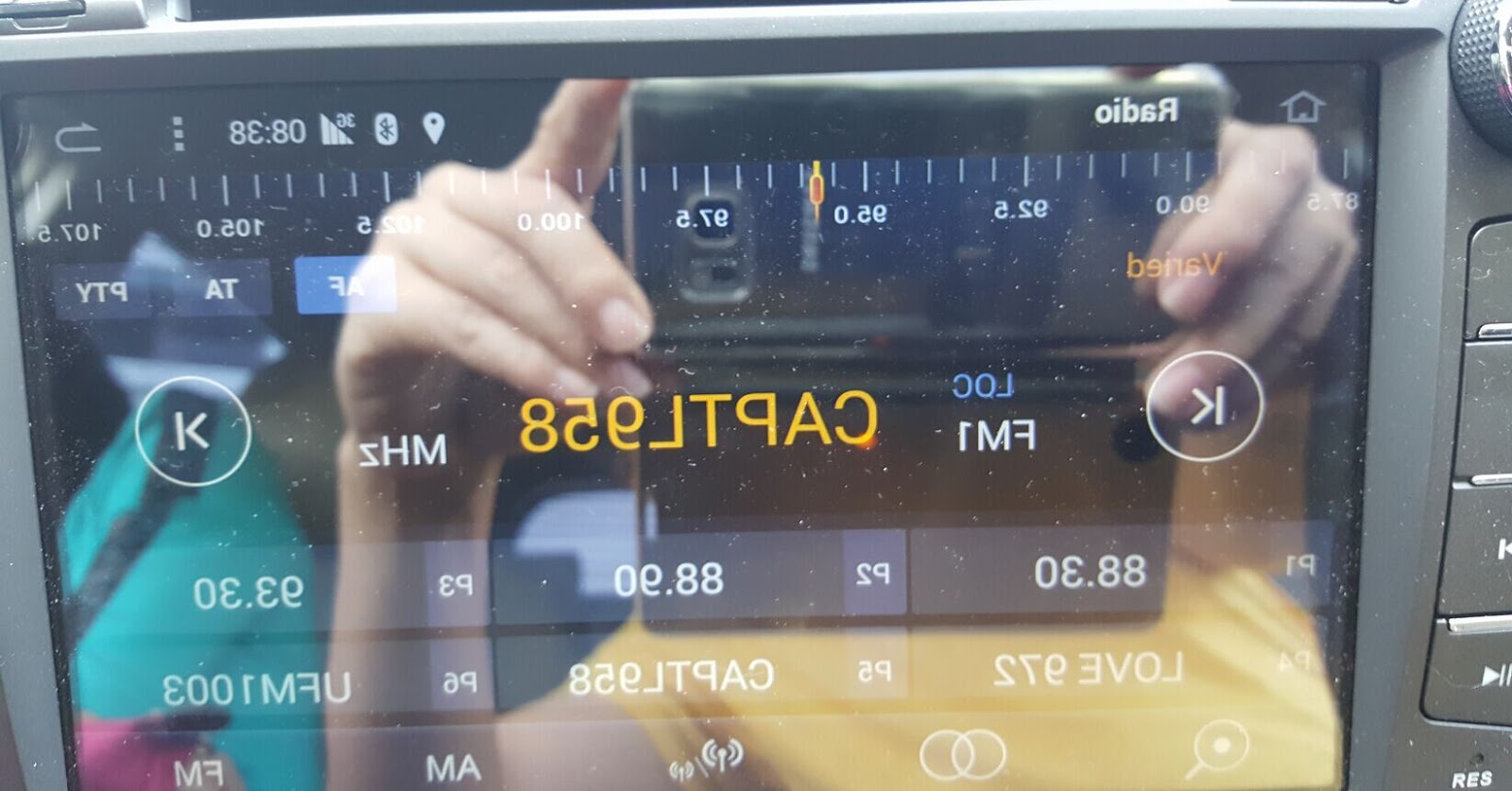
How to fix the opposite images in screen (Android touch screen car stereo)

When you receive your new Android car stereo, if the images appear opposite in screen. Please try to unplug the ribbon and then re-plug it. Below are some references, please check it:

Problems:


Check the ribbon and reconnect:


Solved


Instructional Video:


Tuesday, March 15, 2016

2016 Newest Head Unit: Android 5.1 Lollipop OS + 10.1" HD Touch Screen

Auto Parts Manufacturer 12 Years


Welcome to subscribe Joying YouTube

Buyer Guidance:
1. Panel Size: 260*160mm
Please confirm that you have suitable space to install it
2. ISO harness
This item comes with ISO harness, you can buy an ISO harness adapter from other seller, or order special harness on Joying Store
3. Other
a. If you car supports can-bus, you need to buy a can-bus decoder by yourself
b.If you car has factory amplifier, you need to buy amplifier adapter or bypass the amplifier system

Feature:
1. Android 5.1.1 Lollipop
*Latest operating system
2. Imported original Screen: 
* Size: 10.1 Inch
* HD: 1024*600 
*Capacitive Multi-touch Screen
* Special visual experience
3. Easy Installation
a. Please view product images
b. Please watch this installation video: https://youtu.be/MdXXZiLgjoE

Specification:
Brand: JOYING
OS: Android 5.1.1 Lollipop system
CPU: RK3188 1.6GHz Cortex A9 Quad Core
Screen Size: 10.1 Inch
High Resolution: 1024*600
RAM: SAMSUNG DDR3 1GB
Nand Flash: 16GB
9 EQ Equalizer for music
Language: 54 kinds of languages
Support 9 & more Color Panel Lights
Power AMP IC: TDA7388
Decoding IC: 8202VGQ
Working Voltage: 10.8~14.8V
Video Decoder: 1080P HW
Maximum power: 45W*4

Mirroring
Android Phone Mirroring, you have to connect your android phone by USB
Airplay for iPhone
Note: Do Not reset the factory data for this function
GPS navigation:
Support Google maps, Waze, Sygic and other maps
Support 2D/3D map
Support Voice Guidance
3G/4G/WiFi
WIFI: Built-in WIFI Module
3G: Only support 3G WCDMA SIM for 3G dongle
Support 3G/4G hotspot sharing from your phone
Bluetooth
Support Phone Book
Support hands-free calls
Support connect OBD dongle and your phone simultaneously

Thank you for reading.